See It In Action
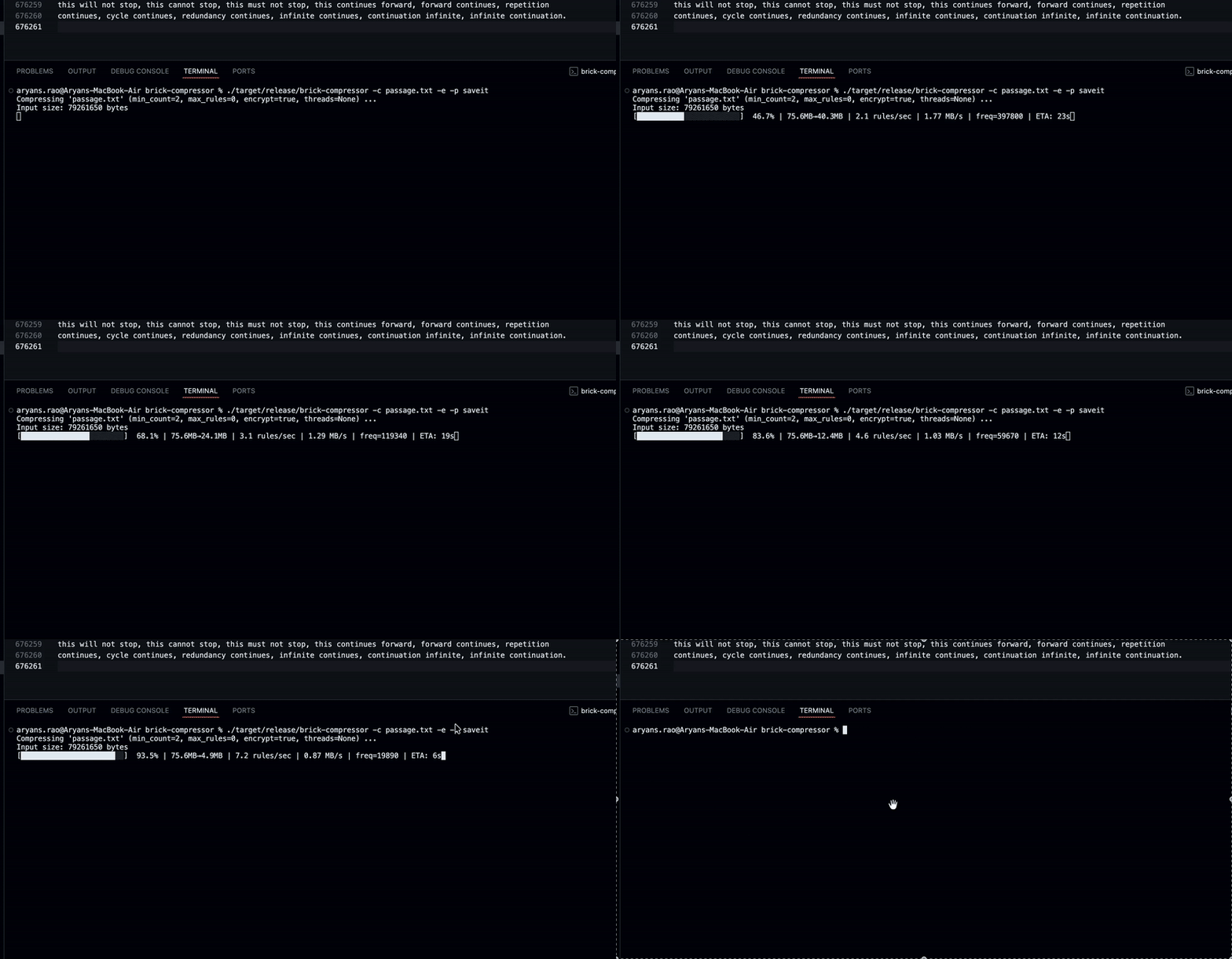
Compression Demo
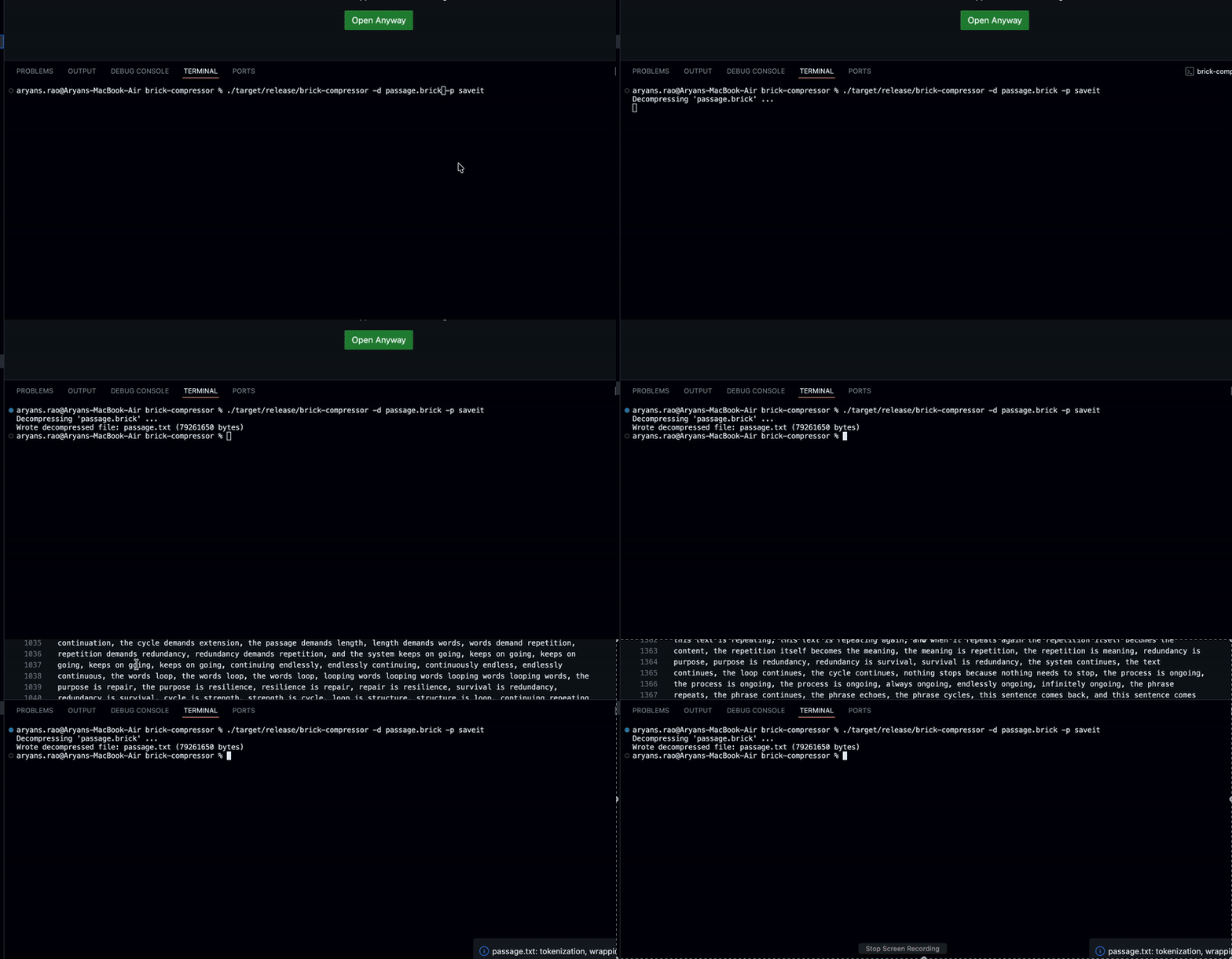
Decompression Demo
What is Brick Compressor?
Brick Compressor is a sophisticated file compression solution designed for developers, system administrators, and power users who need efficient, secure file compression with modern performance characteristics. Unlike traditional compression tools that rely solely on statistical methods, Brick implements a grammar-based compression approach inspired by the academic Re-Pair algorithm, which builds a hierarchical dictionary of repeated patterns in your data for superior compression on structured files.
Built entirely in Rust for maximum performance and memory safety, Brick Compressor leverages modern multi-core processors through parallel processing with the Rayon library. Both the pair counting phase and the replacement phase are fully parallelized, allowing the compressor to process large files efficiently by utilizing all available CPU cores. This architectural decision means compression speed scales nearly linearly with the number of cores on your system, making it ideal for modern hardware and large-scale data processing workflows.
Security and data integrity are first-class features in Brick Compressor. The tool offers optional AES-256 encryption in GCM (Galois/Counter Mode) for authenticated encryption that protects your compressed archives with military-grade security. Every compressed file includes CRC32 checksums for automatic corruption detection during decompression, ensuring data integrity across storage and transmission. The combination of authenticated encryption and checksums provides multiple layers of protection for sensitive data.
Key Features and Capabilities
How Brick Compressor Works
The compression algorithm in Brick Compressor implements a modern variant of the Re-Pair algorithm with several performance enhancements. The process begins with pair counting, where the algorithm scans through the input data to find all adjacent symbol pairs and counts their frequency in parallel across multiple threads. This parallel counting phase significantly accelerates processing on large files by dividing the work among available CPU cores.
Once pair frequencies are calculated, the algorithm enters the rule creation phase. It identifies the most frequent pair that appears above the configurable minimum frequency threshold (default: 2 occurrences) and creates a new grammar rule by assigning a fresh symbol to represent that pair. The algorithm then performs parallel replacement, scanning through the data and replacing all instances of the chosen pair with the new symbol. This process repeats iteratively—counting pairs in the modified data, selecting the most frequent pair, and replacing it—until either no pairs meet the minimum frequency threshold or the optional maximum rule limit is reached.
The serialization format is designed for efficiency and portability. Compressed files use the .brick extension and contain a structured header with magic bytes (BRCK) for file type identification, version information for format compatibility, and flags indicating whether encryption is enabled. The payload section stores the complete grammar rules dictionary, the final compressed sequence of symbols, the original filename in obfuscated form, and a CRC32 checksum for the entire payload. When encryption is enabled, the entire payload is encrypted using AES-256 in GCM mode with a random 12-byte nonce for each file.
Decompression reverses the process by reading the grammar rules from the archive and recursively expanding symbols back to their original pairs. The algorithm starts with the compressed sequence and systematically replaces each non-terminal symbol with its corresponding pair according to the grammar rules, continuing recursively until only original input symbols remain. Throughout decompression, the tool verifies the CRC32 checksum to detect any corruption, and when encryption is enabled, the GCM authentication tag provides cryptographic verification that the data hasn't been tampered with.
Installation Guide
Installing Brick Compressor requires the Rust programming language toolchain, which includes the Cargo package manager and build system. If you don't have Rust installed, visit rustup.rs and follow the simple one-command installation process that works on Linux, macOS, and Windows. The Rust installation typically completes in just a few minutes and provides everything needed to build Rust applications.
Once Rust is installed, clone the Brick Compressor repository from GitHub using git and navigate into the project directory. The build process is straightforward and handles all dependencies automatically through Cargo's dependency resolution system defined in Cargo.toml.
git clone https://github.com/aryansrao/brick-gram-compression
cd brick-gram-compression
Build the project in release mode for optimized performance. The --release flag enables all compiler optimizations, producing a production-ready binary with maximum speed and efficiency. This compilation may take a few minutes as Cargo downloads and compiles all dependencies.
cargo build --releaseFor system-wide installation, use Cargo's install command which compiles the project and places the binary in your Cargo bin directory (typically ~/.cargo/bin on Unix-like systems). Ensure this directory is in your PATH environment variable to run the command from anywhere.
cargo install --path .Complete Command Reference
.brick extension appended to the original filename. The compression process analyzes the file for repeated patterns, builds an optimal grammar dictionary, and stores the compressed data with CRC32 verification. Progress is displayed with compression ratio, speed, and estimated time remaining..brick archive back to its original form. The decompressor reads the grammar rules, expands the compressed sequence recursively, verifies the CRC32 checksum for data integrity, and restores the file using its embedded original filename. If the archive is encrypted, you must provide the correct passphrase with the -p flag..brick to the input filename. For decompression, defaults to the original filename embedded in the archive. This option is useful for organizing archives in specific directories or using custom naming conventions.Encryption and Security Details
Brick Compressor implements robust security features designed to protect sensitive data during compression, storage, and transmission. The encryption system uses AES-256 in Galois/Counter Mode (GCM), which provides authenticated encryption with associated data. This mode combines confidentiality through encryption with integrity protection through cryptographic authentication, ensuring that encrypted data cannot be modified or tampered with without detection.
The key derivation process uses SHA-256 to hash user-provided passphrases into 256-bit encryption keys. Each compressed file generates a unique random 12-byte nonce (number used once) that ensures the same file compressed multiple times with the same passphrase produces different encrypted outputs, preventing pattern analysis attacks. The GCM mode's built-in authentication tag provides cryptographic verification that the ciphertext hasn't been modified, complementing the CRC32 checksum used for detecting accidental corruption.
Data integrity verification operates at multiple levels. Every compressed archive includes a CRC32 checksum of the payload that's automatically verified during decompression, detecting accidental corruption from storage media failures, transmission errors, or file system issues. When encryption is enabled, the GCM authentication tag provides cryptographic integrity protection that detects intentional modifications or tampering attempts. This dual-layer approach ensures both accidental and malicious data corruption are caught before decompression completes.
Usage Examples and Common Workflows
The most basic workflow involves simple compression and decompression without encryption. This is ideal for archiving files where security isn't a primary concern but space savings and data integrity matter. The compression process displays a rich progress bar showing real-time statistics including compression ratio, throughput speed, and estimated time to completion.
# Compress a single file
brick-compressor -c document.txt
# Output: document.txt.brick

# Decompress back to original
brick-compressor -d document.txt.brick
# Output: document.txt (original filename restored)
For sensitive data requiring encryption, add the -e flag and provide a strong passphrase. The same passphrase must be used during decompression to recover the original file. Choose passphrases that are long, random, and difficult to guess for maximum security. Consider using a password manager to generate and store complex passphrases.
# Compress with encryption
brick-compressor -c confidential.pdf -e -p "my-secure-passphrase-2024"
# Output: confidential.pdf.brick (encrypted)

# Decompress encrypted file
brick-compressor -d confidential.pdf.brick -p "my-secure-passphrase-2024"
# Output: confidential.pdf (decrypted and restored)
Custom output paths and advanced compression parameters give you fine control over the compression process. Specify output directories for organized archival, adjust minimum pair counts for performance tuning, limit maximum rules for consistent compression times, or control thread usage for resource management on shared systems.
# Compress with custom output path
brick-compressor -c large-dataset.json -o archives/dataset-backup.brick

# Compress with tuned parameters
brick-compressor -c source-code.tar -e -p "project-secret" \
  --min-count 3 --max-rules 10000 --threads 4

# Batch compression of multiple files
for file in *.log; do
    brick-compressor -c "$file" -o "compressed/$file.brick"
done
The verification system automatically confirms successful compression by attempting to decompress and comparing the output with the original input. This catch-all verification ensures that compressed archives are valid and can be successfully restored, giving you confidence that your data is safely archived.
# Compression automatically verifies the output
brick-compressor -c important-data.db -e -p "secure-pass"
# Tool internally verifies decompression matches original
# Displays "✓ Verification successful" message
Performance Characteristics and Optimization
Brick Compressor is architected for high performance on modern multi-core systems through extensive parallelization. The compression algorithm parallelizes both the pair counting phase and the replacement phase using Rayon, a work-stealing thread pool library that efficiently distributes work across available CPU cores. On systems with 8 or more cores, compression speed can be 5-7x faster than single-threaded implementations, making it practical to compress large datasets quickly.
The real-time progress interface provides comprehensive statistics during compression including current compression ratio (how much space is being saved), throughput speed in megabytes per second, percentage completion for long-running operations, estimated time remaining based on current progress, and rule count showing how many patterns have been identified. This visibility helps you understand compression performance and make informed decisions about tuning parameters for specific file types.
Compression ratio varies significantly based on file type and content characteristics. Text files, source code, log files, and structured data like JSON or XML typically compress very well (often 60-80% size reduction) due to repetitive patterns and structured content. Binary formats and already-compressed data like JPEG images or ZIP archives may show minimal compression since they lack the repetitive patterns that grammar-based compression exploits.
Performance tuning through command-line parameters lets you optimize for specific scenarios. Increasing --min-count creates fewer rules and compresses faster but may reduce compression ratio slightly. Setting --max-rules caps compression time at the cost of potentially not finding all patterns. Adjusting --threads allows resource management on shared systems. Experiment with these parameters to find the optimal balance for your workload between compression speed, compression ratio, and system resource usage.
Real-World Use Cases and Applications
Log File Archival: System administrators managing server logs, application logs, and audit trails can use Brick Compressor to dramatically reduce storage requirements while maintaining data integrity through CRC32 verification. Log files contain highly repetitive patterns that grammar-based compression handles exceptionally well, often achieving 70-80% size reduction. The parallel processing ensures even multi-gigabyte log files compress quickly without impacting server performance.
Source Code Distribution: Developers can distribute source code repositories, documentation, and development assets in compressed archives that preserve file integrity and support optional encryption for proprietary code. The compression algorithm excels at source code due to repeated syntax patterns, library imports, and coding conventions, producing significantly smaller archives than traditional compression tools for many code bases.
Backup and Disaster Recovery: Backup systems benefit from Brick Compressor's combination of space-efficient compression, strong encryption for sensitive data, automatic integrity verification, and parallel processing for faster backup completion. The CRC32 checksums provide confidence that backups remain intact over time and can be successfully restored when needed.
Data Transfer Optimization: When transferring large files over networks with limited bandwidth, compressing with Brick reduces transfer time proportionally to the compression ratio achieved. The encryption feature protects data in transit, complementing TLS/SSL with an additional layer of security that persists after transfer completes and files are stored.
Compliance and Audit Trails: Organizations subject to data retention regulations can compress audit logs, financial records, and compliance documentation with encryption and verified integrity. The CRC32 verification provides evidence that archived data hasn't been corrupted over retention periods, supporting compliance with standards like SOC 2, GDPR, and industry-specific regulations.
File Format Specification
The .brick file format is designed for simplicity, portability, and future extensibility. Each archive begins with a fixed header containing magic bytes BRCK (0x4252434B) for file type identification, allowing systems to recognize Brick archives through file signature detection. A version field supports format evolution while maintaining backward compatibility with older archives. Flags indicate whether encryption is enabled, allowing tools to immediately determine whether a passphrase is required for decompression.
The payload section contains all compressed data in a structured format. The grammar rules dictionary stores the complete set of pair-to-symbol mappings created during compression, allowing perfect reconstruction during decompression. The compressed sequence represents the original file after all grammar rules have been applied, typically achieving significant size reduction. The original filename is embedded in obfuscated form, allowing automatic restoration without user input. A CRC32 checksum of the entire payload enables automatic corruption detection.
When encryption is enabled, the payload undergoes AES-256-GCM encryption before being written to the archive. A random 12-byte nonce is generated and stored in the archive header, ensuring unique encryption even for identical files compressed with the same passphrase. The GCM authentication tag is appended to the ciphertext, providing cryptographic verification during decryption that detects any tampering or modification attempts.
Why Choose Brick Compressor?
Grammar-based Compression Excellence: Unlike statistical compression methods, the grammar-based approach builds a hierarchical understanding of your data's structure, finding patterns that other algorithms miss. This makes it particularly effective for structured data, source code, configuration files, and documents with repetitive content.
Modern Parallel Performance: Built on Rust and Rayon, Brick Compressor scales efficiently across multiple cores, delivering compression speeds that improve nearly linearly with core count. On modern 8-16 core systems, this translates to dramatically faster compression compared to single-threaded tools.
Security Without Compromise: Optional AES-256-GCM encryption provides military-grade security with authenticated encryption, ensuring both confidentiality and integrity. Unlike tools that bolt on encryption as an afterthought, Brick's security features are deeply integrated and verified for correctness.
Integrity Verification Built-in: Every archive includes CRC32 checksums and automatic verification during decompression. Combined with GCM authentication for encrypted archives, you get multiple layers of protection against both accidental corruption and intentional tampering.
Developer-Friendly CLI: Rich progress bars, detailed statistics, flexible configuration options, and clear error messages make Brick Compressor pleasant to use both interactively and in automated scripts. The tool respects Unix philosophy while providing modern user experience enhancements.
Open Source and Cross-Platform: Fully open source with no vendor lock-in, runs identically on Linux, macOS, and Windows, and uses standard algorithms and formats that ensure long-term accessibility of your archives.